 Token Watch
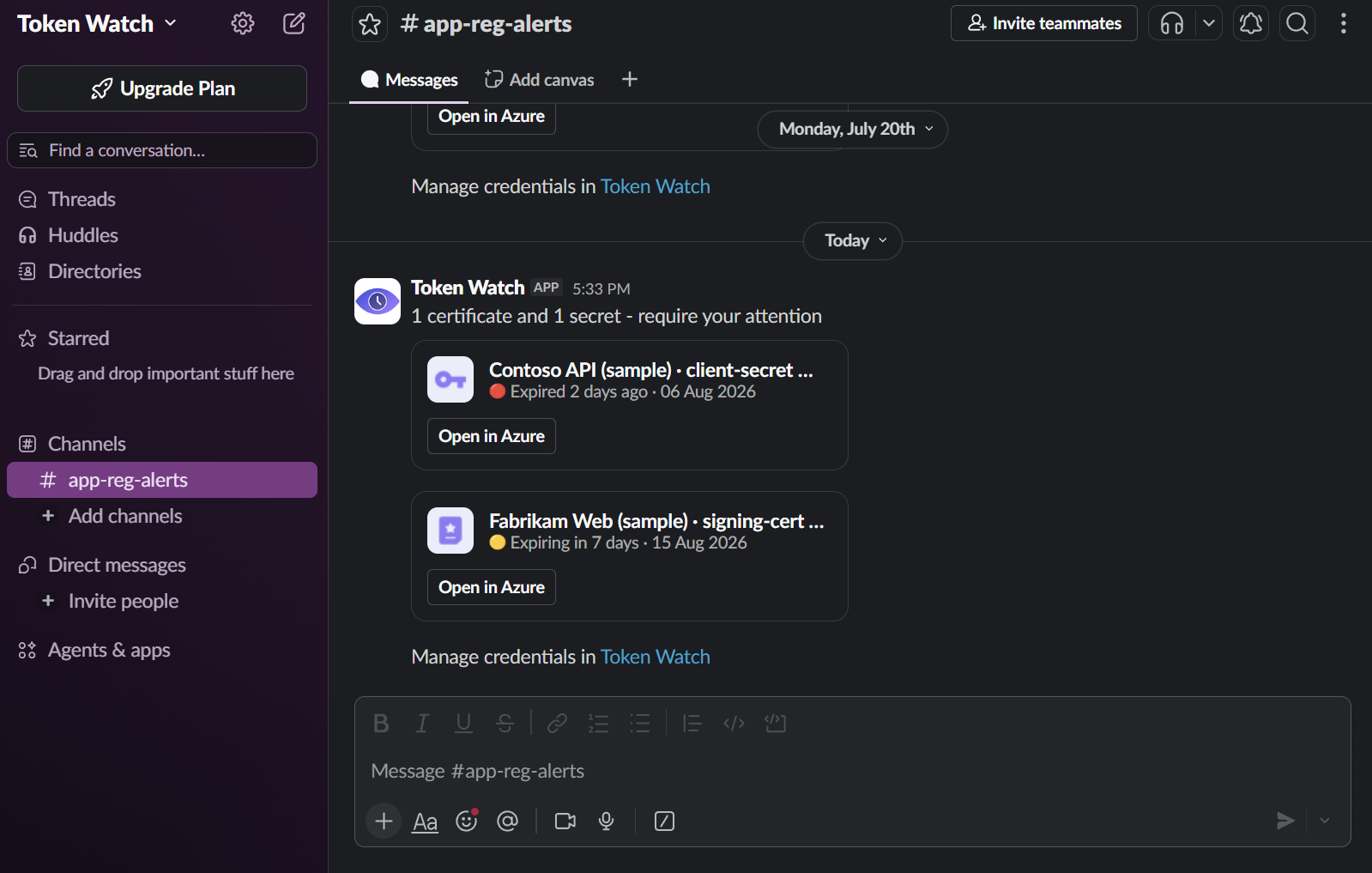
A silently expired secret or certificate is a risk to your production systems, and Token Watch closes that gap — it checks your tenant once a day and posts a message to a Slack channel.
The message carries metadata only — application name, credential name, status, expiry date — along with a link to Azure, so you can jump straight to the credential to rotate or renew it.
It only posts when there's something to report: a day with nothing expired or expiring sends nothing. You can also stop tracking specific credentials to keep the channel focused on what matters to your team.
Step-by-step setup
Before you start: Token Watch should already be connected to your tenant. If you haven't done that yet, now's a great time — setup takes only a few minutes.
Let's set up Slack notifications:
- Create or choose a target channel, such as
#entra-expiry-alertsor#identity-ops. - In Slack, create a new app that can use webhooks — create using manifest (predefined basic settings) or create a blank app.
- In that app's settings, go to Features > Incoming Webhooks and make sure it's enabled.
- Scroll to the bottom, click Add New Webhook, then select the workspace and the channel you want to use.
- Copy the webhook URL, then open the Monitoring page in Token Watch.
- Scroll to the webhook settings section and select Slack as the payload format.
- Paste the Slack webhook URL into the Endpoint URL field and save your settings.
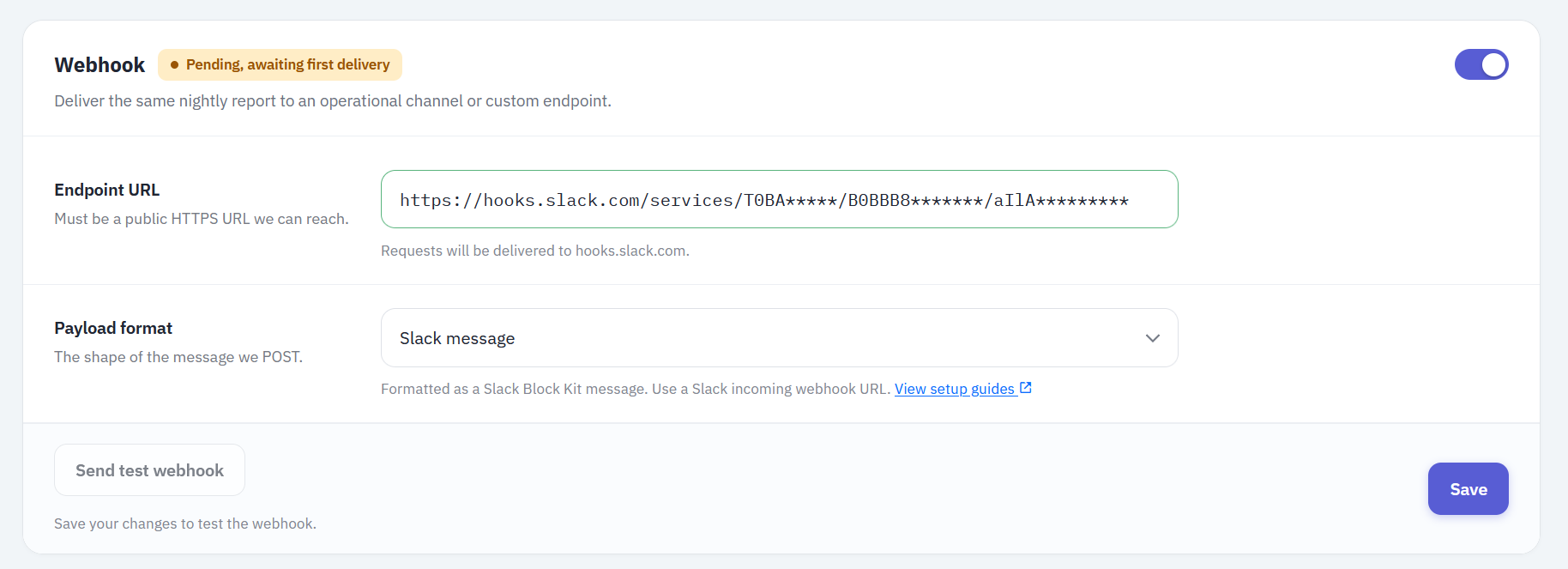
- Send a test webhook and check the Slack channel — the message arrives within a few seconds.
That's the whole setup. The first real alert arrives on the next daily run that finds something expired or expiring; a failed delivery is retried up to three times with backoff before Token Watch marks it unhealthy.
Is it safe to post this to Slack?
The webhook URL is the only thing protecting the channel — anyone who has it can post to it, and Slack webhooks aren't signed, so there's no way to verify a message actually came from Token Watch. Treat the URL like a secret: don't paste it into a public repo or share it outside your team.
If you need signature verification or your own routing logic, send alerts to the JSON webhook channel instead and have your own receiver post to Slack. If your team lives in Microsoft 365 rather than Slack, see the Microsoft Teams guide.
Troubleshooting
- No message arrived: confirm webhook delivery is enabled and at least one tracked credential was expired or expiring on that run.
- Slack shows nothing: check that the Slack webhook URL is still active and the Token Watch channel type is set to Slack.
- The endpoint returns 404: regenerate or recopy the Slack webhook URL.
- Webhook health shows unhealthy: health tracks recent scheduled deliveries. Verify that the associated Slack app is still active and its webhook URL hasn't been deleted or disabled.
Limitations
- Token Watch does not renew or rotate credentials for you — it only tells you in time.
- An alert only helps if someone owns the renewal — that requires building a process around it. Check the Azure DevOps integration to see how Token Watch can help automate that process.
FAQ
X-TW-Signature. Use the JSON webhook channel for signed, verifiable delivery.