 Token Watch
Catch expiring Azure secrets & certificates before production breaks
Stop wasting time chasing expired credentials. Get proactive monitoring and alerts for every Azure app registration.
Monitor my credentials- Azure-native
- Zero-setup
- Reduce risk
- Instant insights, no paywall
How it works?
Access & Permissions
Token Watch connects directly to your Azure environment using Microsoft Graph API. All you need to do is grant read-only permission to your App Registrations.
We only pull metadata, such as expiration dates and app names. No secrets, no credentials, no sensitive data.
Tracking and Visibility
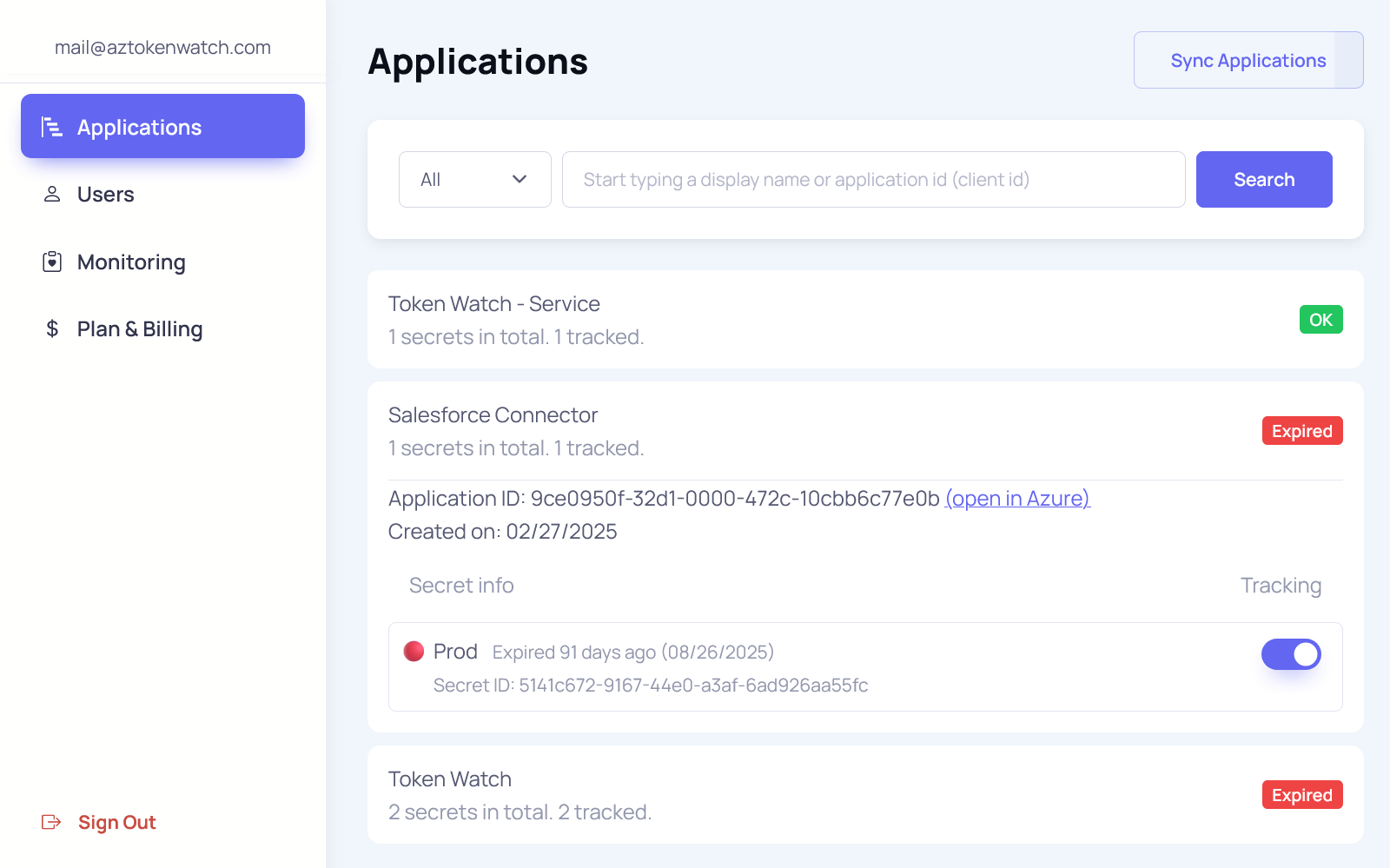
Immediately after integration, Token Watch provides a comprehensive list of all your Azure applications and their associated credentials — both client secrets and certificates. You'll gain real-time insights into:
- Expiration dates and statuses
- System-wide reliability exposure
- Smart filtering by app, credential or expiration
This gives your team an actionable overview of your current risk landscape — without waiting for an incident.
You can also manage the tracking status for each individual credential, allowing you to focus on what's critical and avoid unnecessary noise.

Monitoring and Alerts
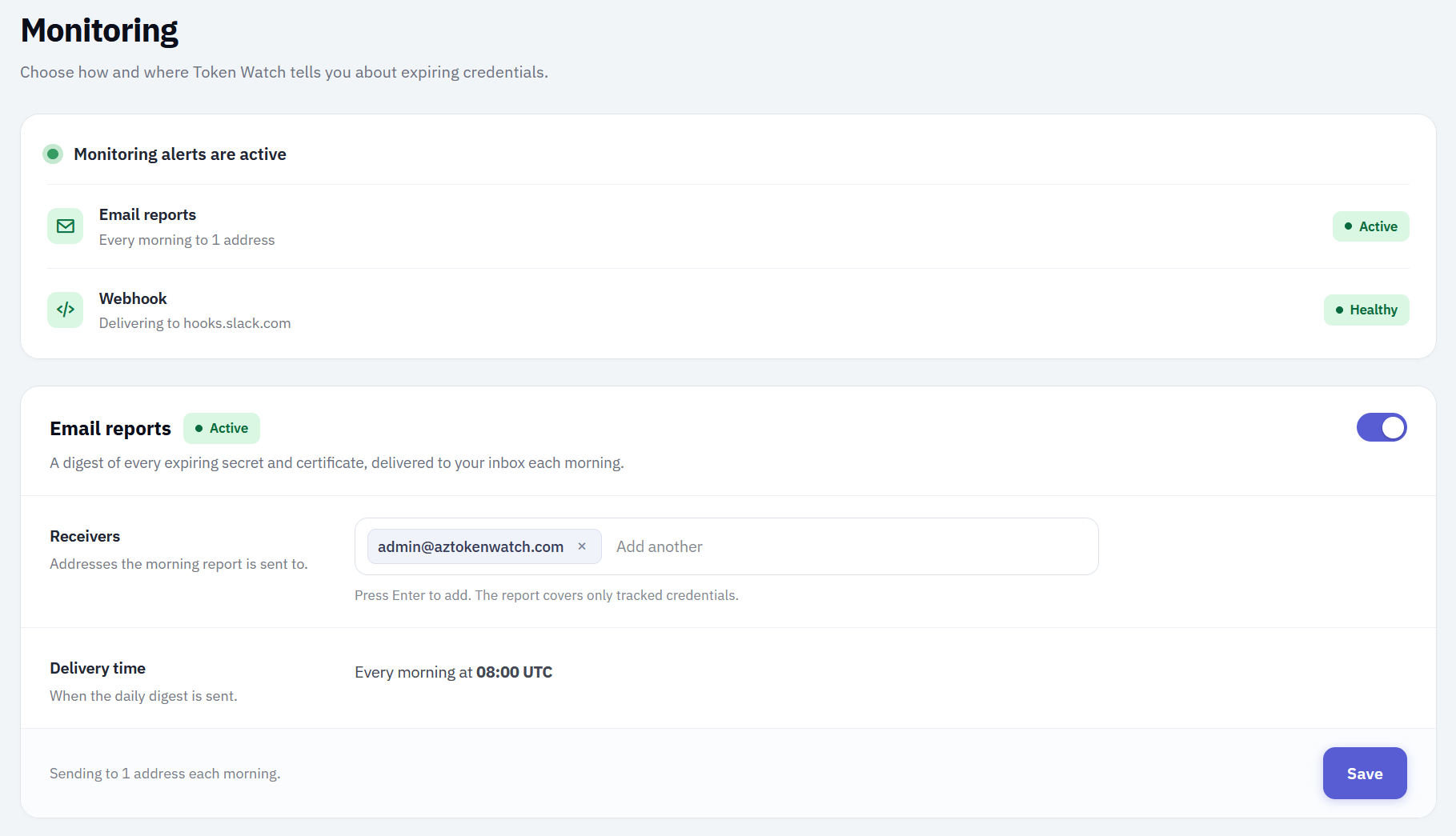
Set up monitoring in just a few clicks. Token Watch continuously evaluates the expiration status of your credentials and generates automated reports.
Alerts arrive where your team already works: a daily email report, a Slack or Microsoft Teams message, a work item on your Azure DevOps board, or a signed webhook for your own alerting and incident management systems. See all channels on the integrations page.
Don't wait for an outage. Identify and replace expiring credentials before they impact your production environment.
Why teams choose Token Watch?
Centralized Credential Visibility
See all App Registrations and their credentials in one place. No need to dig through individual apps.
Built for Azure from Day One
Uses Microsoft Graph and follows Azure security best practices by design.
Zero-Config Setup
Get insights in under a minute with read-only access — no scripts or setup needed.
Proactive Monitoring and Alerts
Get expiration alerts by email, in Slack or Teams, as Azure DevOps work items, or via webhook — before outages happen.
Smarter Filtering and Control
Control which credentials are tracked and tailor monitoring to match your operational priorities.
Instant Value Without Upfront Cost
Start free and get immediate visibility into production risks.
One expired credential can bring down production — we help you prevent that
A single missed credential expiration can cause hours of downtime, costing millions in lost revenue, SLA violations, and customer trust. Token Watch gives your team the visibility and alerts needed to prevent incidents before they happen — with zero setup required.
Secure by design
Token Watch was designed from the ground up to be secure, compliant, and easy to trust. We follow industry best practices, and we don't handle any sensitive data or credentials ourselves.
Microsoft Identity
Authentication is handled by Microsoft. We never store or manage user credentials.
Read-Only Access
We request read-only access to App Registrations. No write operations. No access to secret values.
No Stored Secrets
Token Watch stores only operational metadata such as application names, key IDs, credential names, and expiry dates.
No Installation
No agents or plugins required. Runs entirely outside your environment.
Running a security review? The permission, the endpoint, the stored fields, hosting, subprocessors and retention are all published.
Read the security documentationFrequently asked questions
What teams ask before they connect Token Watch to their Azure tenant.
Yes. Slack, Microsoft Teams, and a custom webhook that posts to any HTTP endpoint, so PagerDuty, ServiceNow and Opsgenie all work. The Azure DevOps integration opens one work item per expiring credential and closes it once the credential is rotated.
All four are Team plan features and one runs at a time, alongside the email report, which runs on every plan. See choosing your alert channels.
Yes. Free includes active monitoring with email alerts: they start three business days before a credential expires, repeat daily (weekends included), and a final alert lands once it has expired.
Paid plans add a customizable reporting window, configurable recipients, additional alert channels, and advanced alert routing.
Plan limits count the App Registrations found in your tenant: 100 Free, 200 Starter, 400 Team. They are not hard cut-offs. Sign up and try Free with however many you have; we ask that you move to a plan that fits if you stay above the limit.
Plan Comparison
Choose the option that makes the most sense for your business.
Also available on Microsoft Marketplace — billed straight to your existing Microsoft or Azure invoice, no new vendor to onboard.
Free
- Price: Free
- Monitoring
- In-app monitoring:
- Expiration threshold: 14 days
- App registrations: 100
- Email alerts
- Recipients: 1
- Alert cadence: 3 days prior, until resolved
- Integrations & export
- Webhook alerts:
- Azure DevOps work items:
- CSV export:
- Security
- RBAC:
- In-app audit log: Recent only
- Support
- Support level: Standard
Starter
- Price: $29 / month
- Monitoring
- In-app monitoring:
- Expiration threshold: Customizable
- App registrations: 200
- Email alerts
- Recipients: Multiple
- Alert cadence: Until resolved
- Integrations & export
- Webhook alerts:
- Azure DevOps work items:
- CSV export:
- Security
- RBAC:
- In-app audit log: 30-day history
- Support
- Support level: Standard
Team
- Price: $59 / month
- Monitoring
- In-app monitoring:
- Expiration threshold: Customizable
- App registrations: 400
- Email alerts
- Recipients: Multiple
- Alert cadence: Until resolved
- Integrations & export
- Webhook alerts:
- Azure DevOps work items:
- CSV export:
- Security
- RBAC:
- In-app audit log: 180-day history
- Support
- Support level: Priority