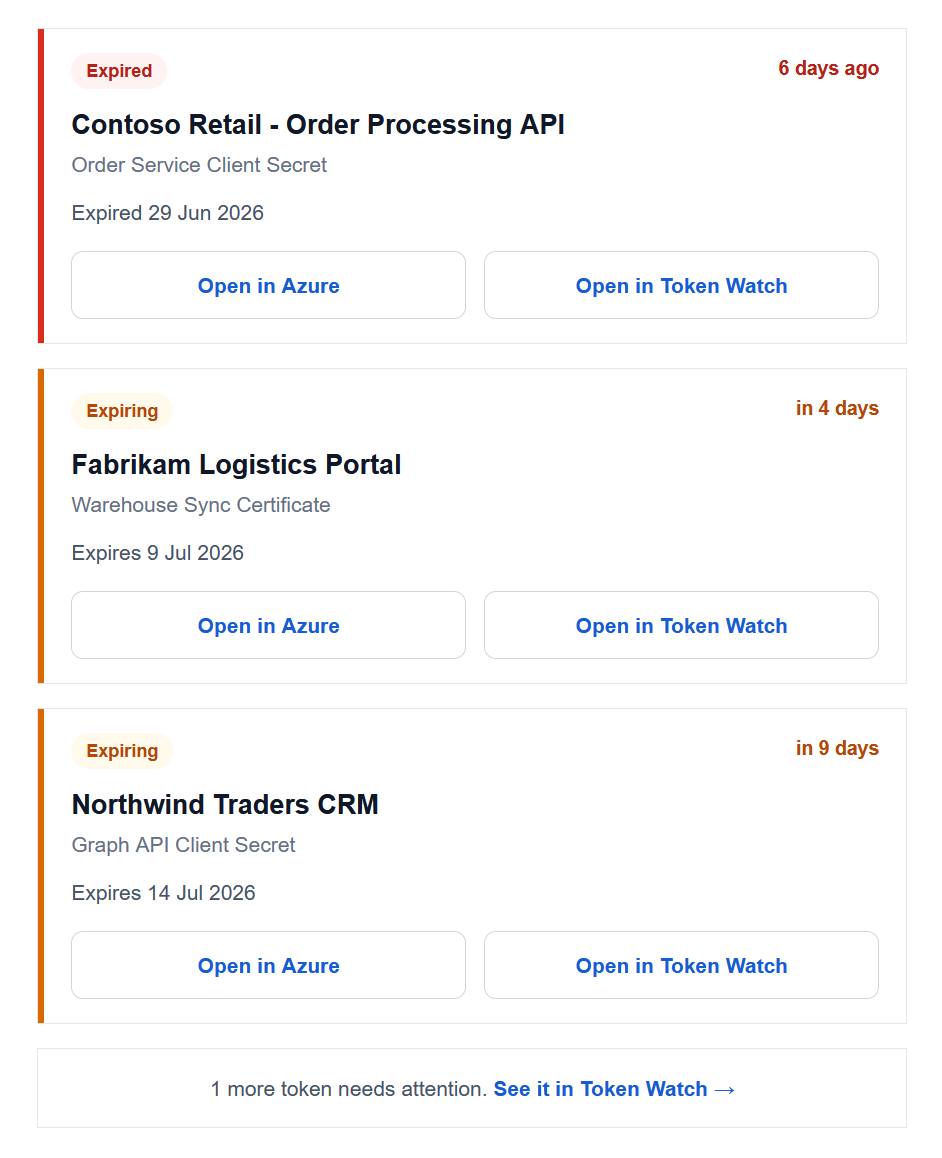
Some of your credentials have expired or will soon. Review the list below and renew them before they cause failure.
Token Watch monitors every App Registration in your Microsoft Entra ID tenant through read-only Microsoft Graph access and emails you before tracked secrets and certificates expire. No agents, no scripts to maintain, no Logic App to babysit — you grant admin consent once, toggle email reports on, and the reports arrive on their own.
Email is the built-in delivery channel: it works on every plan with nothing to configure on the receiving end, which makes it the natural starting point. Every other channel — Slack, Teams, Azure DevOps work items, webhooks — layers on top of the same monitoring.
How email alerts work
Microsoft Entra ID / Azure AD App Registrations
  -> Token Watch (daily monitoring run)
  -> Daily email report
  -> Your team's inboxes
It starts with what you choose to watch. In Token Watch, every secret and certificate carries a tracking state, so an admin decides exactly which credentials count — flip on the ones that matter and leave dead test apps untracked so they never page anyone.
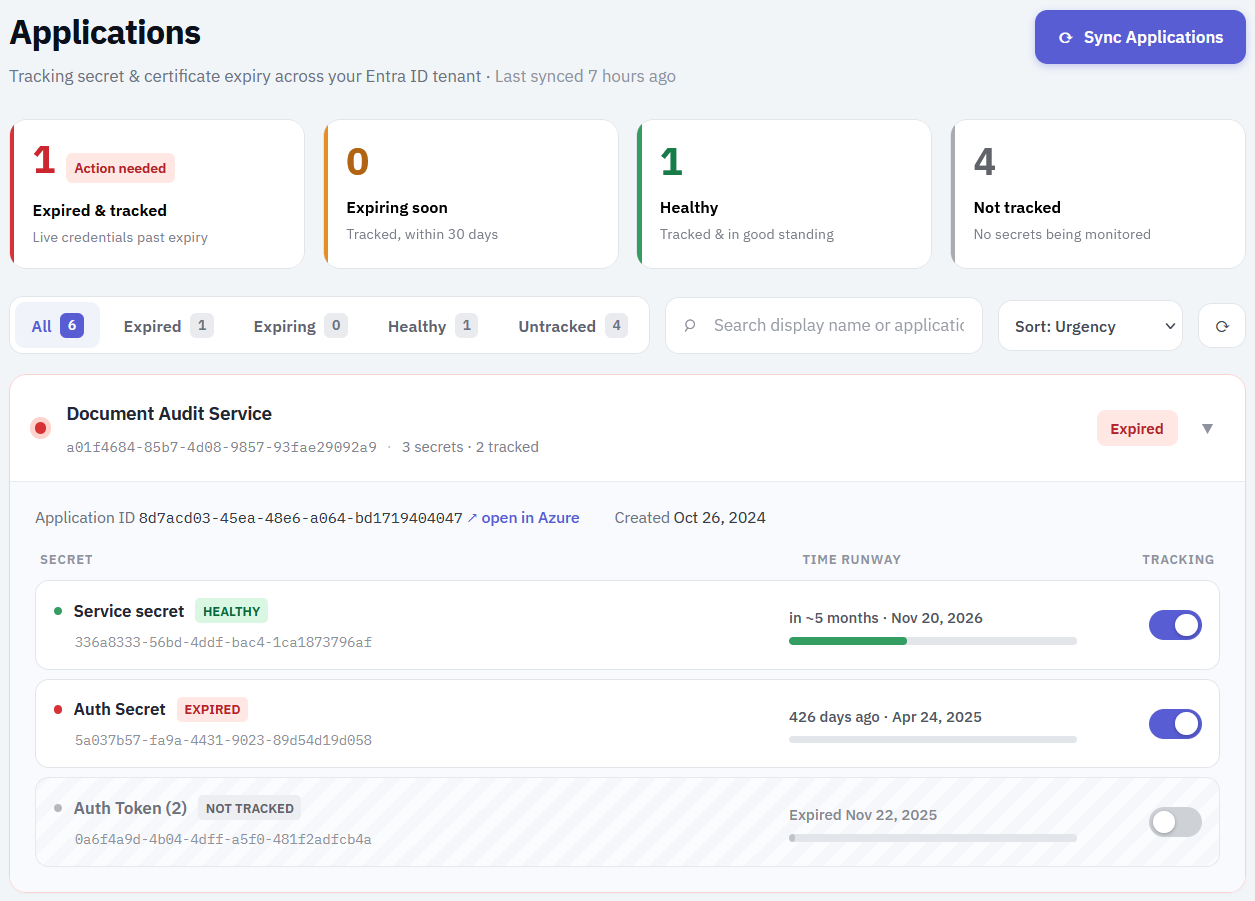
Token Watch syncs credential metadata through Microsoft Graph after admin consent. Once a day — overnight, around 02:00 UTC — it checks every tracked secret and certificate against your expiring threshold and emails a report of everything that is expiring soon or already expired. Each item ties the credential straight back to its Entra App Registration and to Token Watch, so you can jump to the exact app that needs a new secret. If nothing needs attention, no email is sent — a quiet inbox means a healthy tenant, not a broken alert.
What you get on each plan
Email alerts are available on every plan, including Free — but the coverage differs.
- Free: alerts per credential to your admin email address, starting three business days before it expires and repeating daily, weekends included, with one final alert once it has expired. The window is fixed at three business days and the alerts stop after that expired notice.
- Starter and Team: a daily report covering both expiring and already-expired credentials, on your own expiring threshold (1–120 days, default 15), sent to as many addresses as you like. The report keeps arriving every day until the issue is actually resolved — an expired credential cannot silently fall off your radar.
Step-by-step setup
- Sign up at app.aztokenwatch.com and grant Microsoft admin consent (read-only Graph access).
- Wait for applications to sync — typically under a minute.
- On a paid plan, open Monitoring, add the additional receiver addresses the report should go to — a shared team alias like
identity-ops@yourcompany.combeats a personal inbox.
That is the whole setup. There is nothing to install and no receiving endpoint to build; the first report arrives overnight the next time something is expired or expiring.
Making email alerts actually work
Email is the easiest channel to set up and the easiest one to ignore. A few habits keep the alerts actionable instead of archived:
- Send the report to a shared alias or distribution list, not one person's inbox — people go on vacation, credentials do not.
- Set the threshold to match your rotation lead time. If getting a new secret approved and deployed takes two weeks, a 15–30 day threshold gives you room; 3 days does not.
- If alerts keep being read and not acted on, that is an ownership problem, not an alerting problem — consider creating Azure DevOps work items instead, so each expiring credential becomes an assignable ticket on the board.
When email isn't enough
Email is the right default for small teams and a solid safety net for everyone. Reach for another channel when:
- Your team triages in chat — add Slack or Microsoft Teams alerts.
- Renewal work needs an owner and a place in the sprint — use the Azure DevOps integration to create work items.
- Another system (SIEM, ticketing, incident tooling) should ingest the alert — use the signed JSON webhook.
The channels are not either/or: many teams keep the email report as the durable record and add a chat or board channel on top.
Troubleshooting
- Nothing lands in the inbox: check spam/quarantine and allow-list the sender; corporate filters are the most common culprit.
- A credential you expected isn't in the report: check that it is tracked in Token Watch and within your expiring threshold.
Limitations
- Token Watch does not renew or rotate credentials for you — it makes sure a human knows in time.
- Emails carry metadata only, never secret values or private keys.
- An email can be ignored; if that keeps happening, escalate to a channel with built-in ownership like Azure DevOps work items.
FAQ
Application Administrator role once, when it first flags credentials expiring within 30 days. It doesn't email the app's owner and doesn't repeat. Token Watch fills that gap with a daily email report of everything expired and expiring in your tenant.