 Token Watch
Monitoring best practices: track only what matters
Updated August 21, 2026
A good expiry alert is one people read. If the same credentials show up in the report every single day and nobody does anything about them, the alert has become noise. The fix is to make the report list only credentials someone is actually going to act on.
Turn off tracking for credentials you won't rotate
Every client secret and certificate in Token Watch has its own tracking toggle. Tracking is what puts a credential into the daily report; turn it off and the credential drops out of every channel — email, chat, webhook, and work items alike — and the App Registration it belongs to is no longer counted as expired or expiring.
Two cases are worth untracking:
- You're already on it. The credential is being rotated, or the rotation is scheduled and owned by someone. You don't need a reminder every morning until the change lands.
- It's an old credential nobody depends on. A leftover from an experiment, a superseded secret, a registration another team abandoned. Nothing breaks when it expires, so it doesn't belong in an alert.
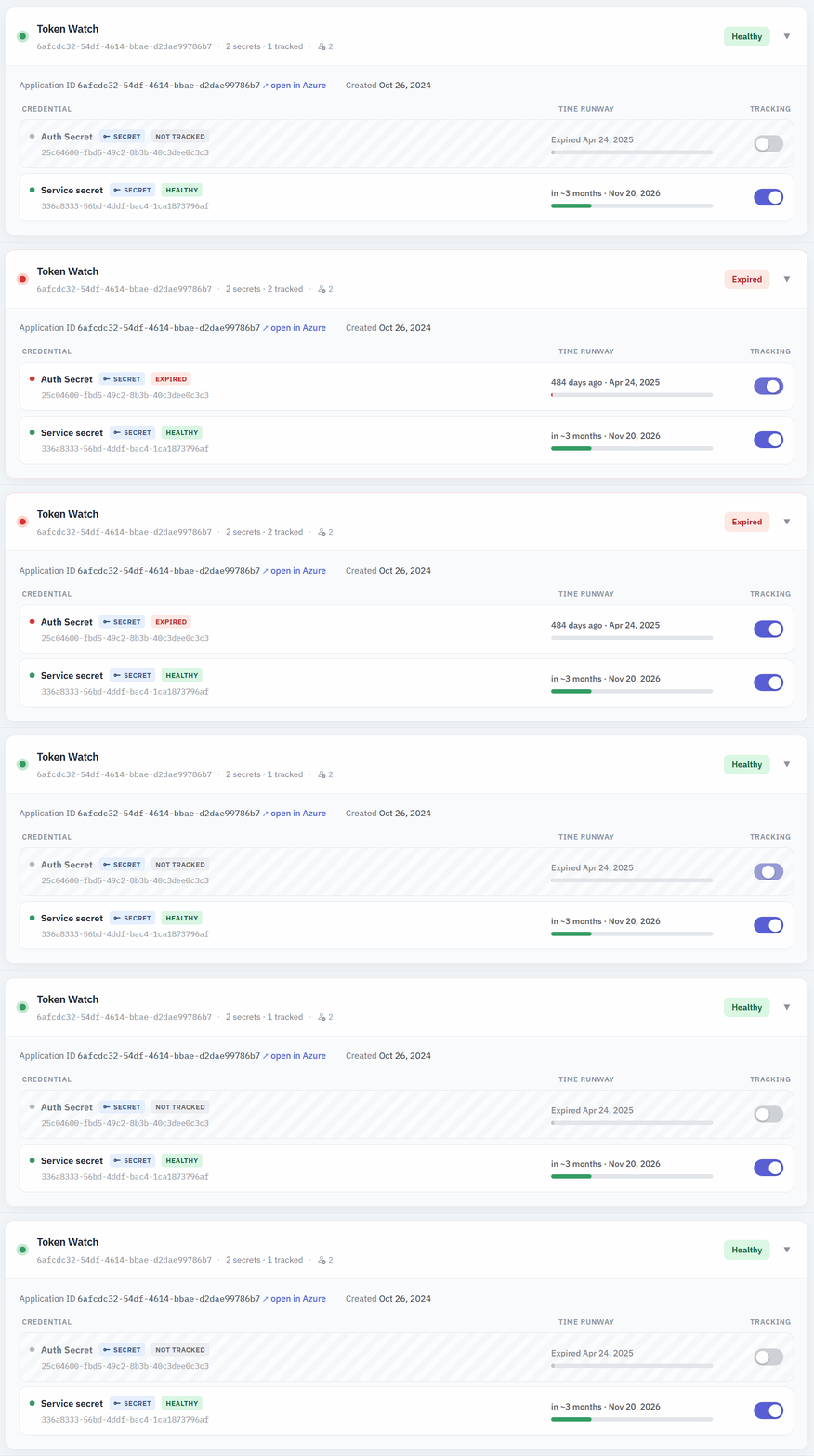
Untracking hides a credential from alerts, not from you — it stays in the inventory with its expiry date, so you can still see it whenever you look. Turn tracking back on at any time.
A good first pass
- Open the Applications list and sort by urgency.
- Identify the credentials that are dead — expired, unused, or belonging to registrations nobody owns — and delete them in Microsoft Entra ID.
- Untrack the ones you're keeping but won't rotate on a schedule.
- Leave everything else tracked. That's your real rotation workload, and it's what the daily report should be about.
Worth repeating once or twice a year, or whenever a team hands a set of registrations over.
Match the alerting model to your rotation pace
Untracking decides what Token Watch tells you about, and the expiring threshold decides how early. The alerting model is the third dial: how often. It's a smaller lever than the other two, but it's a one-time setting, so it's worth a minute of thought.
The same credential can produce six alerts or twenty-six depending only on which model you're on. A daily alert until someone rotates it is right for a secret production depends on; it's more than you need for a tenant where rotations happen the same afternoon.
The alerting models page compares three of them day by day on a single timeline. The short version: Countdown when rotations are quick, until resolved when a credential can't be allowed to slip, and status transition when alerts land somewhere durable — an Azure DevOps work item, say — and don't need repeating.