Get an email before your Entra app secret expires
Token Watch monitors App Registration client secrets and certificates across your tenant, checks them automatically, and sends expiration alerts by email.
Set up free alerts- Free
- No PowerShell scripts
- No Logic Apps
- Setup in ~3 minutes
Free monitoring for every credential in your tenant
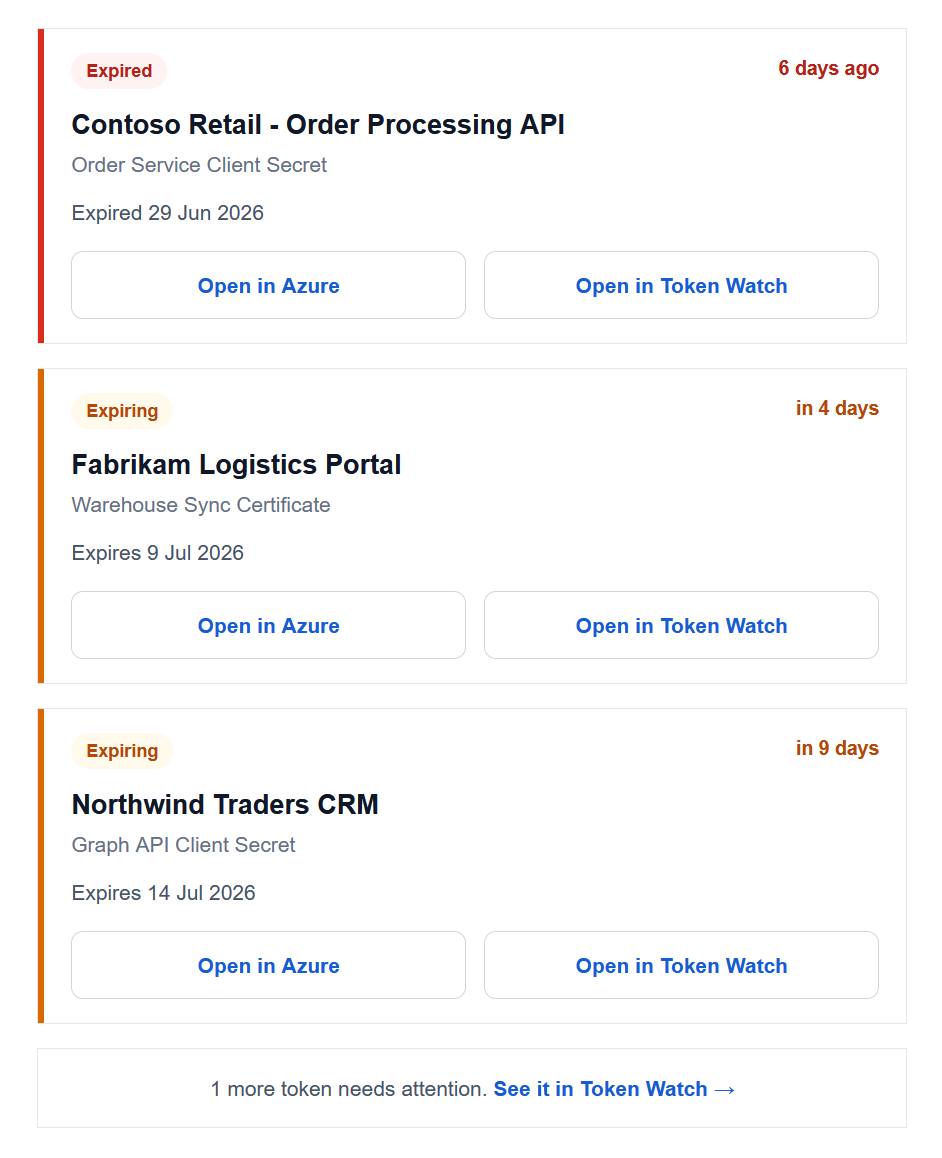
Entra's warning is a single recommendation email to one role — easy to miss. Miss it, and the credential stops working along with whatever depends on it.
Client secrets
Every client secret on every App Registration, with its expiry date and status.
Certificates
Certificate credentials are tracked the same way — expiry is expiry, whatever the credential type.
Automatic tenant sync
New App Registrations and new secrets are picked up automatically via Microsoft Graph.
Email notification
Email alerts before a credential expires — free.
Alerts that reach the person who can rotate the secret
The general report
Everything expiring across the tenant, to a shared alias or distribution list.
App owners
Owners hear about their own app's credentials — nothing to configure.
Assigned users
Assign a user to one app and they get its alerts — without owner rights.
Yes, you could build this yourself
Most teams solve this with a PowerShell script on a schedule, a Logic App, or a Function App calling Microsoft Graph. Those work — until the script's own secret expires, the runbook breaks on a Graph API change, or the one person who understood it leaves.
| Token Watch | PowerShell / Logic App | |
|---|---|---|
| Expiry monitoring | Yes | Yes |
| Email alerts | Yes | Yes |
| Who gets notified | Report, app owners, or per-app assignees | One mailbox for everything |
| Infrastructure to maintain | None | Yours |
| Scheduled jobs | None | Yours |
| Graph integration | Managed | Build it |
| Setup | ~3 minutes | Usually significantly longer |
| Basic email monitoring | Free | Azure runtime + your time |
The real difference it's effort. If you can write the Graph script, you have better things to do than babysit it. For a breakdown of the DIY route, read our comparison of all three approaches.
Three minutes, three steps
No installation, no agents, nothing deployed into your tenant.
Sign in with Microsoft
Use your existing Microsoft account — Entra ID single sign-on, no new password.
Grant read-only access
One admin consent for Application.Read.All — metadata only, no write access, no secret values.
Done
Your App Registrations sync in under a minute, and alerts arrive before anything expires.
Need more than email?
Email is where most teams start. When you outgrow it, the same monitoring feeds every other channel — no reconfiguration, just pick where alerts should land.
Chat & workflow channels
Route the same alerts into Slack or Microsoft Teams, create Azure DevOps work items so renewal has an owner, or ingest a signed JSON webhook into your own tooling.
See all integrationsDaily reports on your threshold
Paid plans widen the fixed three-business-day window to a threshold you choose (1–120 days), with a daily report that keeps arriving until the credential is actually rotated, sent to as many addresses as you like — plus webhook delivery and CSV export on Team.
Compare plansFAQ
Application Administrator rather than the app's owner, and alongside unrelated recommendations. Nothing repeats and nothing chases the person who actually has to rotate the secret. Here's exactly what Entra does and doesn't send.
Application.Read.All). Token Watch cannot modify anything in your tenant, and it never sees secret values — Microsoft Graph doesn't return them after creation. Only metadata: application name, credential name, and expiry date. Consent can be revoked anytime in Entra ID.
Know before it breaks
Connect your tenant with read-only access and get an email before the next secret expires — free, in about three minutes.
Set up free alerts